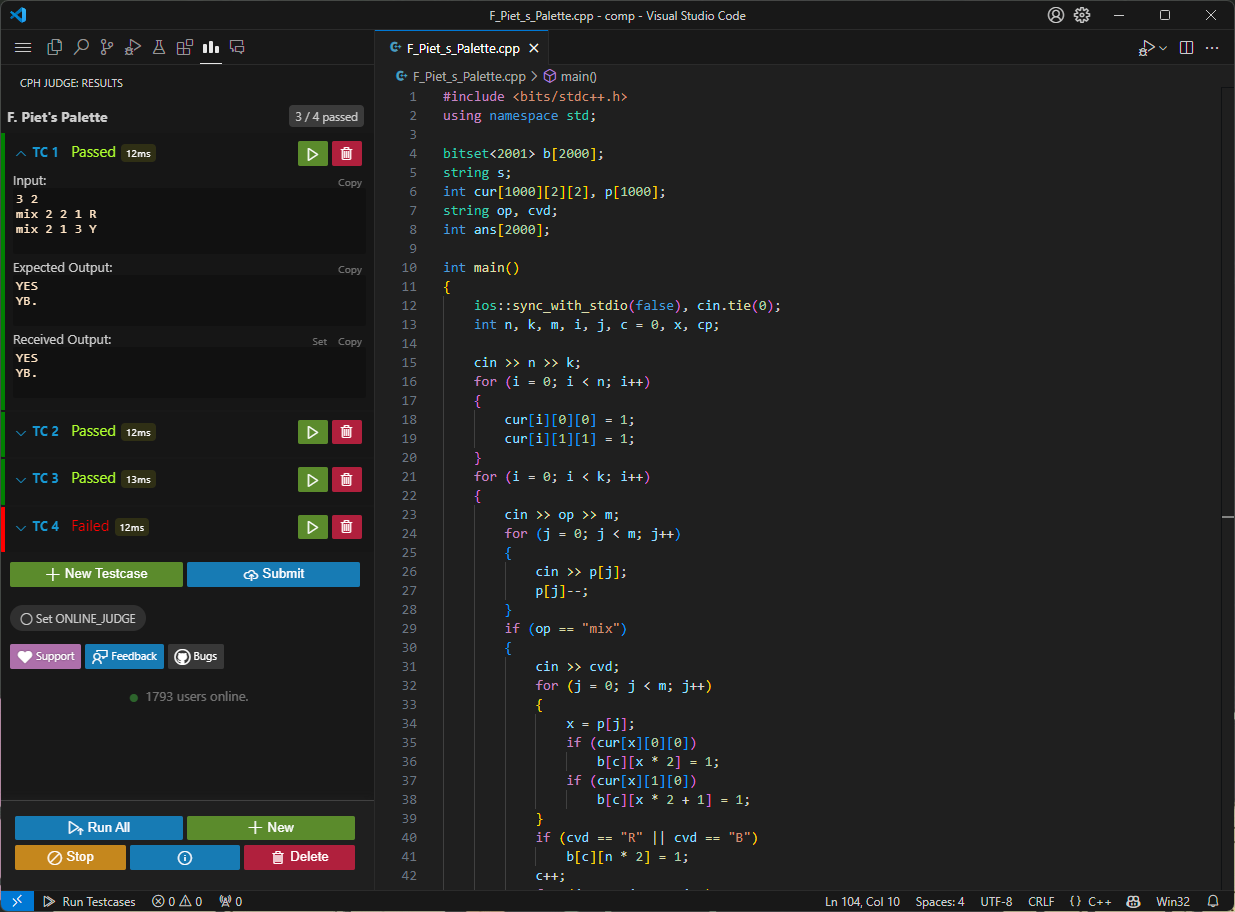
CPH (Competitive Programming Helper) is a powerful Visual Studio Code extension that transforms your editor into a complete competitive programming environment. With over 565,000 installs and a 4.5-star rating, it has become an essential tool for competitive programmers who prefer VS Code.
Key Features:
• Automatic Test Case Download - Fetch problems from 116+ online judges with one click via Competitive Companion
• Intelligent Compilation - Automatic compilation with detailed error messages
• Advanced Judging System - Handles runtime signals (SIGSEGV, SIGABRT), timeouts, and runtime errors with color-coded pass/fail indicators
• Multi-Language Support - Full support for C++, C, Python, Java, JavaScript, Rust, Go, Haskell, Ruby, and C#
• Direct Submission - Submit to Codeforces and Kattis via cph-submit companion extension
• Local Problem Support - Create and test custom problems offline
• Quick Launch - Ctrl+Alt+B or "Run Testcases" button to execute all test cases instantly
The workflow is remarkably simple: install CPH, add Competitive Companion to your browser, navigate to any problem page, and click the green plus icon. The problem instantly appears in VS Code with all sample test cases ready. Press Ctrl+Alt+B, and CPH compiles your code, runs all test cases, and displays results immediately.
Highly customizable through VS Code settings - configure save locations, preferred languages, compilation flags, timeout values, and more. Works seamlessly on Windows, Mac, and Linux.